How to Set Up a Convenient Charging Station for All Your Devices
Setting up a dedicated charging station for your devices is a smart way to keep your home or office organized and ensure your gadgets are always ready to use. Whether you have smartphones, tablets, smartwatches, or other rechargeable electronics, having a central spot to charge them all can save time and reduce clutter.
In this guide, you’ll find easy-to-follow steps on how to create a practical and efficient charging station tailored to your needs.
Why You Need a Charging Station
With multiple devices used daily, cords and chargers scattered everywhere can lead to frustration and lost items. A charging station helps by:
– Keeping all devices in one place
– Reducing tangled cables
– Making it easy to identify which device is charging
– Improving the overall look of your space
Choosing the Right Location
Start by selecting a spot that is convenient and safe. Consider the following:
– Near a power outlet: Ensure easy access to electricity without stretching cords
– Central location: A place everyone can access if multiple people charge devices
– Surface space: A table, shelf, or desk that can accommodate several devices comfortably
– Ventilation: Avoid areas that get too hot; proper airflow helps prevent devices from overheating
What You’ll Need
Gather the necessary items before setting up:
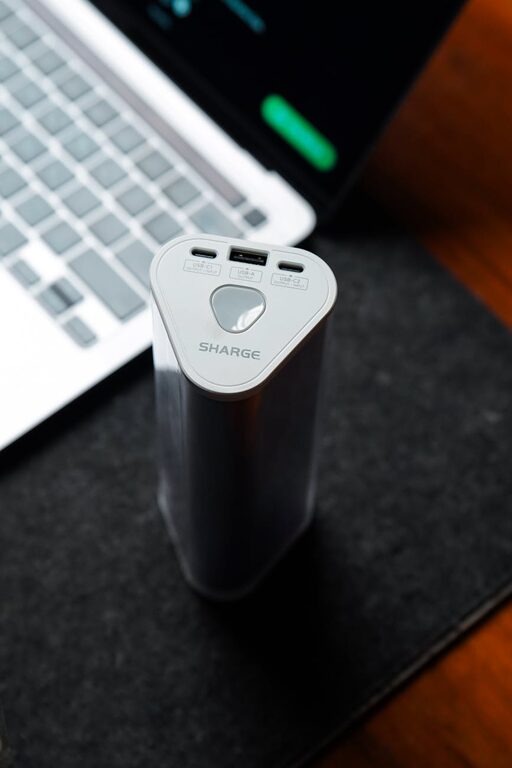
– Multi-port USB charger or charging hub: Saves space and powers several devices simultaneously
– Power strip with surge protection: Protects your devices from electrical spikes
– Cable organizers or clips: Keep wires neat and prevent tangling
– Charging station box or stand (optional): Keeps everything contained and tidy
– Labels or tags (optional): Identify device cables easily
– A small tray or basket: For holding accessories like earbuds or charging blocks
Step-by-Step Setup Guide
1. Assess Your Devices and Chargers
Make a list of all the devices you want to include and determine their power requirements. Some devices need faster charging ports or specific cable types like USB-C or Lightning.
2. Select the Charger or Hub
Choose a charger that supports the number and type of devices you have. Multi-port chargers with USB-A and USB-C options are versatile. Investing in a charger with smart technology can adjust the power output based on the device’s needs.
3. Prepare Your Power Source
Plug a surge-protected power strip into your wall outlet. This protects your devices and provides multiple sockets for chargers and other electronics.
4. Arrange the Charging Hub and Accessories
Place the multi-port charger on your chosen surface, arranging cables neatly with clips or ties. Position a tray nearby for small accessories. Use cable organizers to separate cords and keep them from tangling.
5. Connect and Label Cables
Plug in all necessary charging cables into the hub. Adding labels to cables helps everyone know which cable belongs to which device, reducing confusion.
6. Test Your Charging Station
Connect your devices one by one to ensure they charge properly. Adjust cable lengths or organization if necessary.
Tips for Maintaining Your Charging Station
– Regularly check cords and chargers for wear and tear to ensure safety.
– Keep the station clean by dusting and removing unused cables.
– Update charging equipment when upgrading devices to support faster charging.
– Limit the number of devices charging simultaneously if the charger cannot handle high loads.
– Avoid overloading power strips to prevent electrical hazards.
Optional Enhancements
– Wireless charging pads: Add wireless chargers for compatible devices to reduce cable use.
– LED indicators: Use chargers with lights that show charging status.
– Custom charging station furniture: Build or buy a dedicated charging station with compartments for devices and cables.
– Portable stations: Create a compact charging setup for travel or multiple rooms.
Conclusion
Setting up a charging station boosts convenience, reduces mess, and protects your devices by organizing charging in one safe place. With a little planning and the right tools, you can easily create a system that fits your lifestyle and device collection.
Give it a try, and enjoy a clutter-free and fully powered environment!